Open FOMO with the link
Tap the button and create your FOMO account. Sign-up takes about a minute and works with email or a wallet.
A simple four-step guide to buying $AMC from your phone on FOMO. No complicated trading screens, just the essentials.
$AMC Coin • A Meme Coin

$AMC is a community-driven memecoin called A Meme Coin. Its instantly recognizable red identity brings internet culture into the fast-moving world of on-chain communities.
Like any memecoin, $AMC has no guaranteed value or return. Its price can move sharply with attention and trading activity, so treat it as entertainment money—not a savings or investment plan.
About five minutes
Tap the button and create your FOMO account. Sign-up takes about a minute and works with email or a wallet.
Deposit with a card, or send SOL or USDC to the wallet address FOMO gives you. Start with an amount you can afford to lose.
Type AMC into the search bar and open A Meme Coin. Check the red portrait, ticker and verified status before buying.
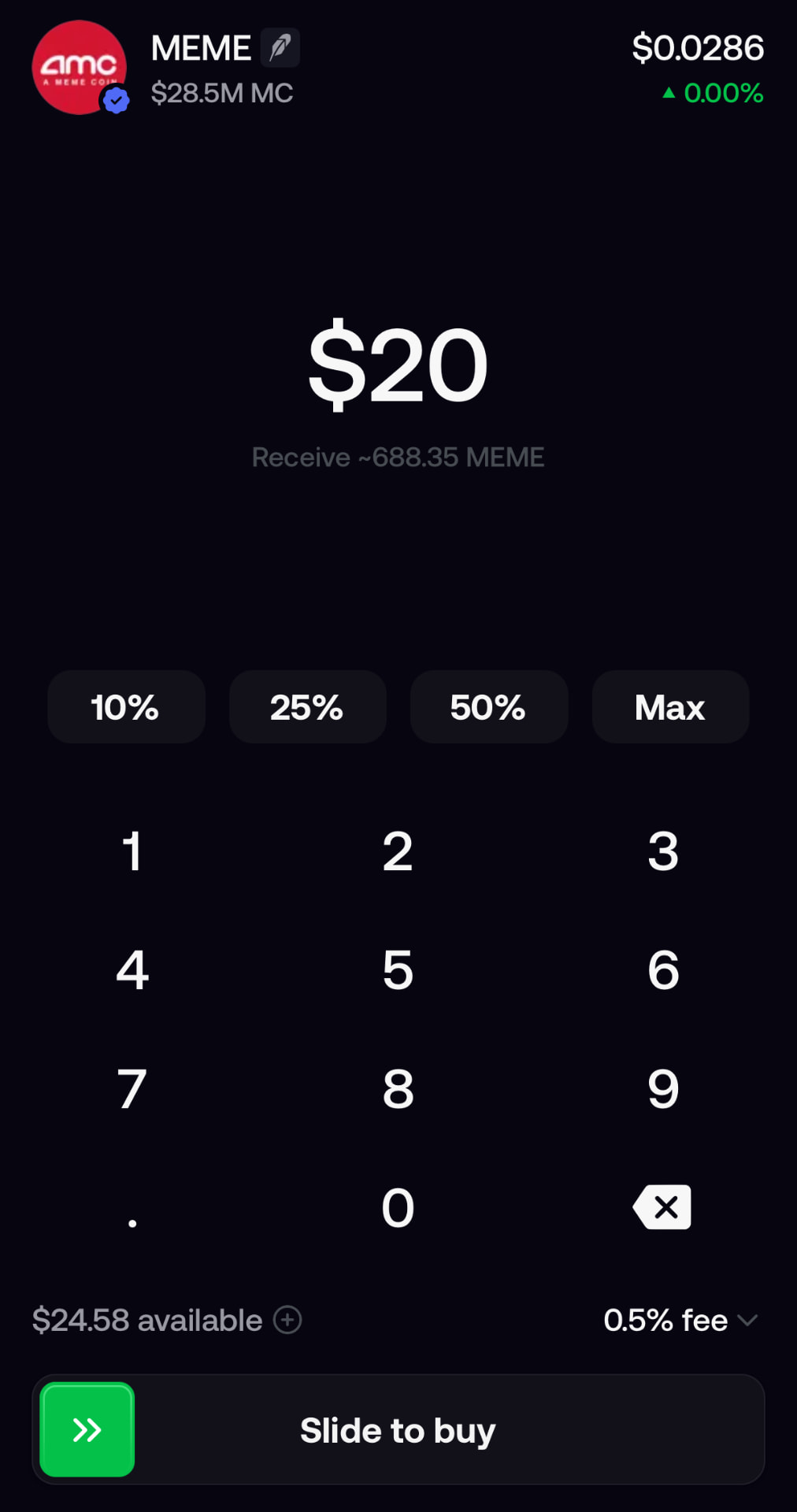
Type an amount or use 10%, 25%, 50% or Max, then confirm. Your $AMC appears after the trade settles.
Know what to look for
When you see MEME at the top with the red AMC portrait shown here, confirm the listing details before continuing. The large number is the amount you’re spending; the percentage buttons fill it from your available balance.
Enter your amount, review the quote and confirm. Never rush the ticker check—copycat tokens often use similar names.
$AMC is a community-driven memecoin. Its price is driven by trading activity, attention and community interest—not company revenue.
This guide uses the FOMO app: fund your account, search AMC, verify the listing and confirm your buy.
You can start small. Only use an amount you would be comfortable losing completely.
Search inside FOMO and compare the AMC ticker, red A Meme Coin portrait and verified status. Avoid links sent in direct messages.